
Create your AI employees
Choose a role, share a brief, and prepare an employee in a conversation. Add company knowledge, test real examples, and publish when you are ready to work together.
From a job brief to a working employee
Give the job to someone you can work with.
Start with a role or a brief. Add your knowledge, prepare the workflow in a conversation, and test the work before you publish. Here is what that looks like with Robin.
Meet Robin · Invoice review
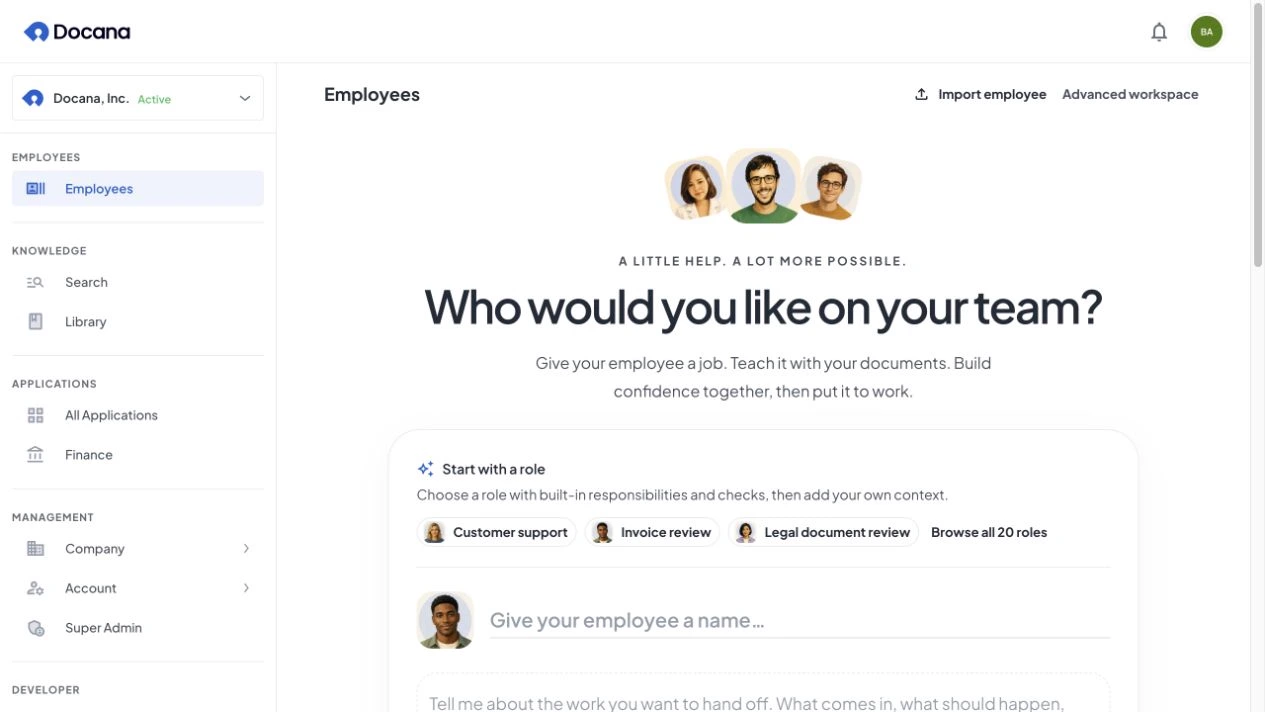
Start with the work.
Choose a role, attach a job description, or explain it in your own words. Robin starts with invoice review and the details that matter to your finance team.
- 20 role starters to make it your own
- Written, file, or voice briefs
- A name, portrait, and tone of voice
Meet Robin · Invoice review
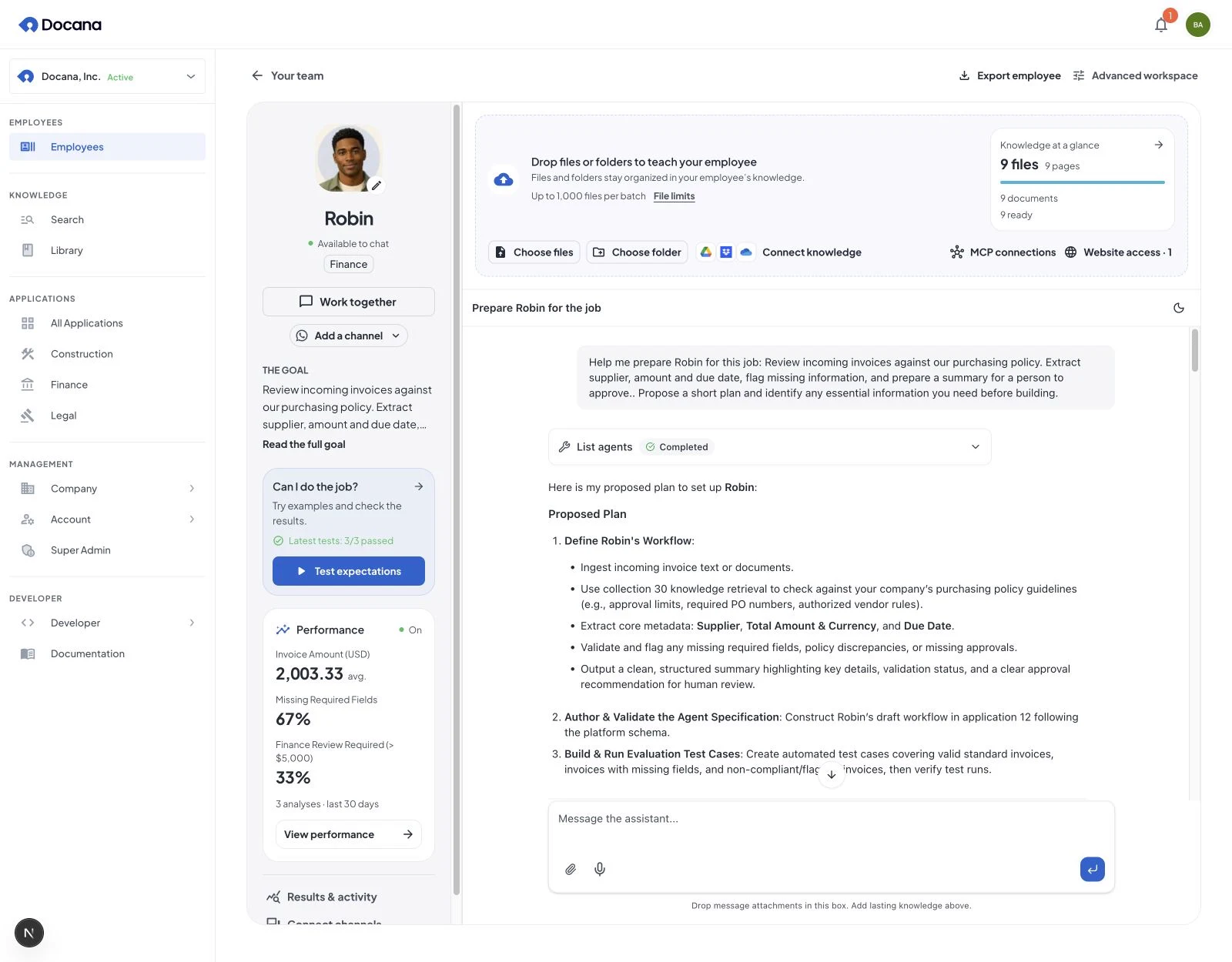
Teach it your way of working.
Start with a few files or connect an enterprise knowledge base spanning terabytes. Choose the sources and tools this employee can use, then prepare the workflow together.
- Drop files and whole folders
- Connect company knowledge and tools
- Refine the workflow by talking it through
Meet Robin · Invoice review
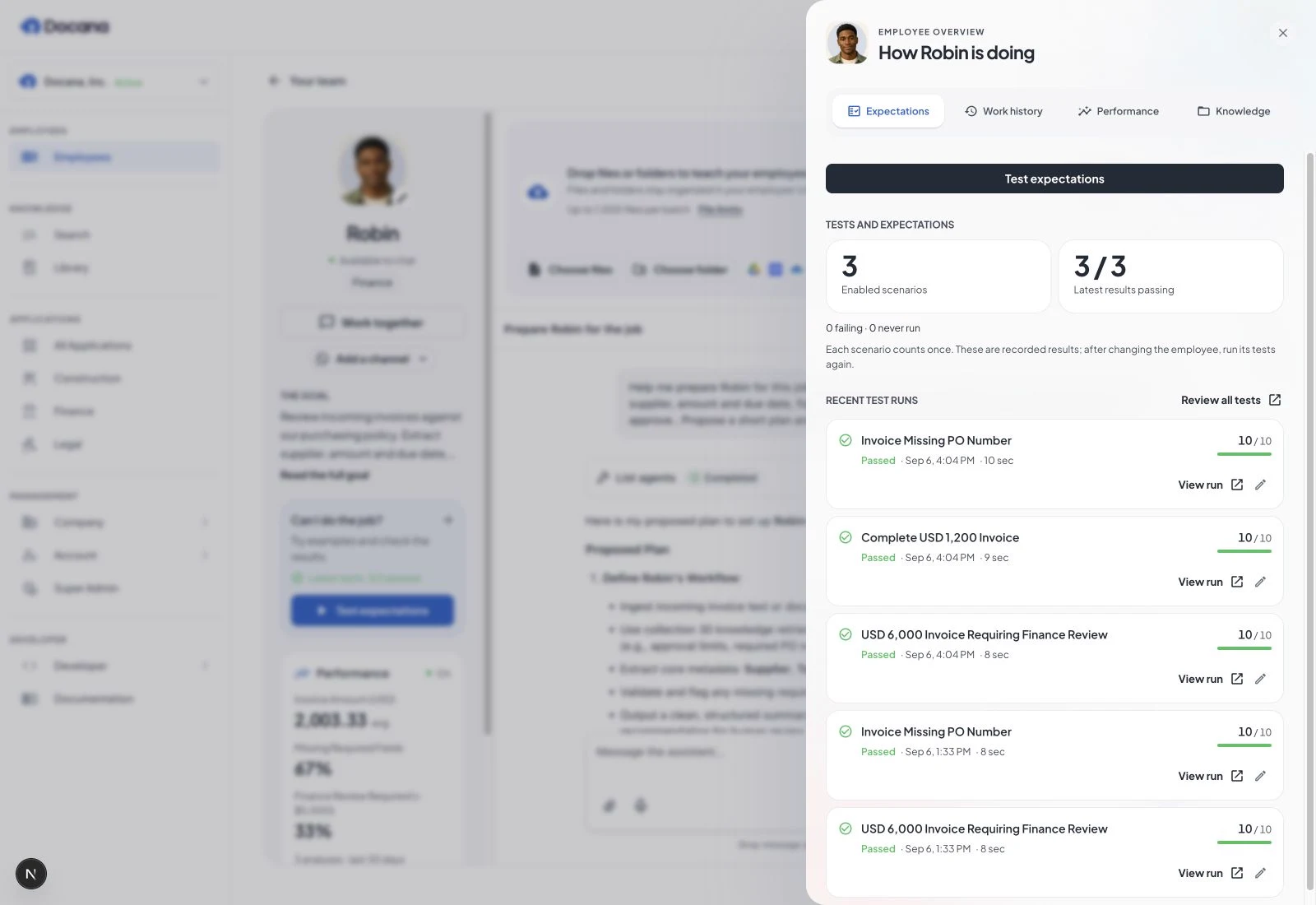
See what it can do.
Try the situations your team actually faces. Check a missing purchase order, a complete invoice, and an amount that needs a person’s approval. Review the results before publishing.
- Test your own expectations
- Inspect results and exceptions
- Improve, test again, then publish
Meet Robin · Invoice review
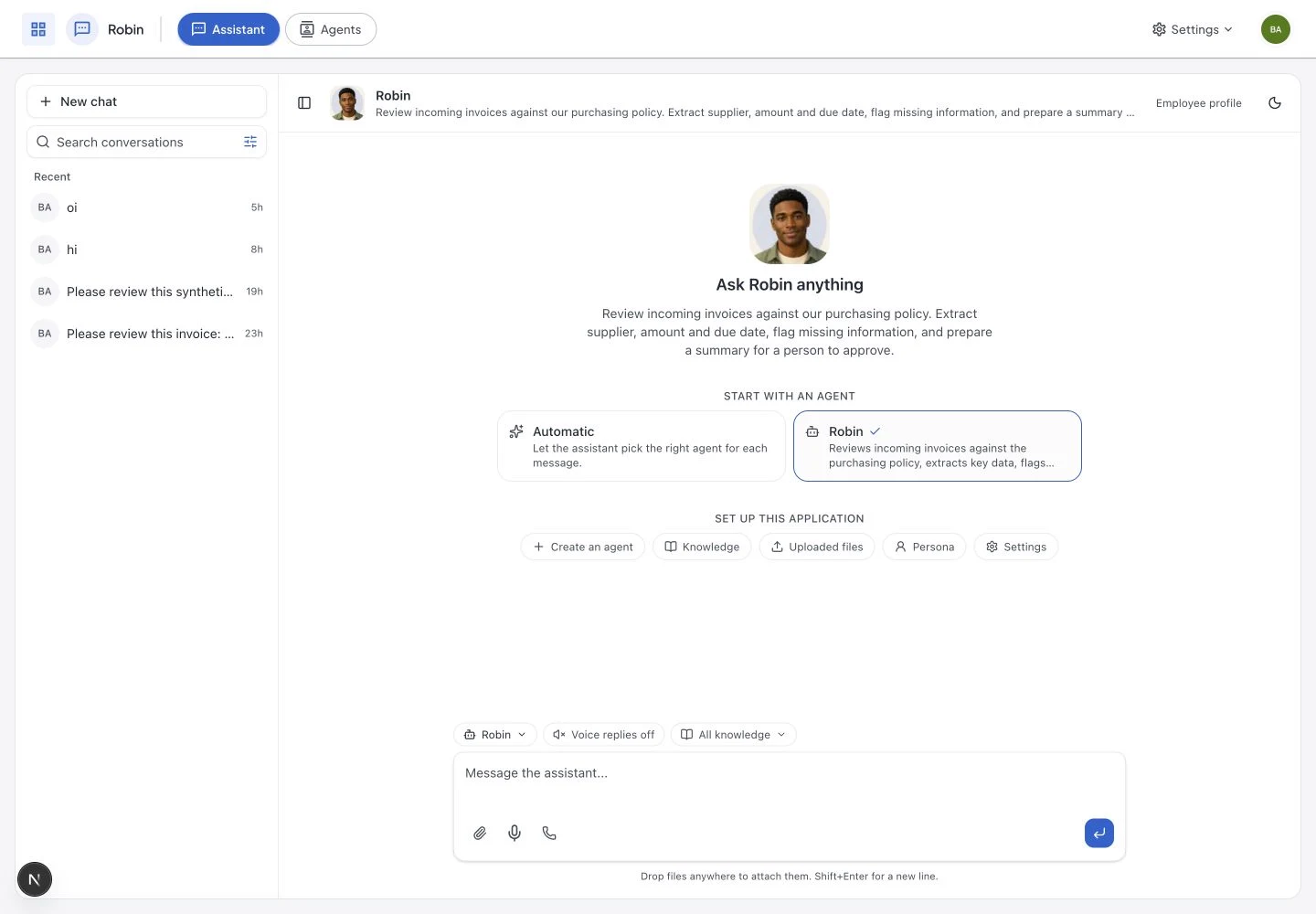
A new teammate. Familiar tools.
Once you have reviewed and published the workflow, work with Robin in chat or connect the channels your team uses. Return to the profile to review work and improve it.
 WhatsApp
 Slack
Slack Claude
 ChatGPT
- Chat with the employee you prepared
- Add the channels your team uses
- Review work history and performance
Create in Docana
Choose a role or bring your own brief. Give the employee an identity, prepare it in a conversation, and open the advanced workspace whenever you need more control.
Build from your AI client
Create and prepare the same employees from Claude or ChatGPT through MCP, or from your own code with the API and CLI. Continue in Docana with the same knowledge, access, and saved preparation conversation.
Built in your preferred tool. Managed together in Docana. Available wherever your team works.
Start with a role. Make it yours.
Choose from 20 role starters, from invoice review and customer support to legal, research, and operations. Add your process, sources, and expectations. The roles below show the kind of work you can prepare, then check with LLM evaluations before publishing.
Business Analyst
For the leadership team. Reads SAP, ERP, HRIS, CRM, and VMS as one and answers "why are our costs up?" with the actual cause, not a dashboard.
Finance Analyst
Lives in Excel. Reconciles the ledger, flags variance the analyst chain would smooth over, and trails back to the source record.
Revenue Strategist
Lives in Slack and the CRM. Tells the sales director what closing a deal will do to cash flow before it lands.
Legal Reviewer
Reviews contracts in minutes. Drafts clauses in your style. Flags obligations buried in attachments before they cost you.
Operations Sentinel
Monitors transactions in real time. Catches vendor leakage, signature mismatches, and anomalies before they hit the P&L.
Customer Support
Answers customers on your website, WhatsApp, Slack, or SMS. 24/7, multilingual, grounded in the same knowledge your best human reps use.
Every conversation becomes a data point
Define the KPIs your business actually cares about. Every conversation runs through configured LLM evaluations that extract sentiment, intent, resolution status, escalation needs, and any custom field you define. The result is a live dashboard your team actually reads, and an agent that learns from every interaction.
Total executions
12,847
+18%Success rate
99.1%
+0.4%Avg duration
17.8s
−2.1sError rate
0.9%
−0.3%Customer sentiment
Extracted on 12,847 of 12,847 conversations
User intent
Top reasons users reached out
Insight extracted · today
User asked about beach-property investments in coastal states served by Moura Dubeux, specifically about projects in Praia dos Carneiros. The assistant listed line options.
Define your KPIs
Sentiment, intent, resolution, escalation, urgency, custom fields. Whatever your business measures, the agent learns to extract it.
Auto-extract via LLM evals
Every conversation runs through configured LLM evaluations that pull structured data points back, scored and ready to query.
Dashboards your team reads
Distributions, trends, drill-downs, and per-conversation traces. Filter by any KPI to find exactly what your customers asked yesterday.
Agents that learn over time
Insights from past conversations carry forward. The next time a customer reaches out, the agent already knows what happened last time.
Insights flow back into the agent's memory. The next conversation knows what happened in the last one, across users, channels, and time.
Start with one workflow
Meet your next AI employee.
Bring a job your team wants help with. Explore the employee creation walkthrough and see how a brief becomes work you can test, review, and publish.
What we’ll explore together
- Define the role and connect your knowledge
- Prepare together and test real examples
- Publish, choose channels, and review the work